Manage-ExternalGraphConnector
SYNOPSIS
This console application can help you in managing custom connectors for the Microsoft Graph API. It connects to the Graph API and can handle the following commands:
- View all registered connectors
- View the search schema of all registered connectors
- Create a new external connector
- Delete an external connector
- Register a search schema for an existing connector
SOURCE
The code is also partly based on the PartsInventoryConnector sample: https://github.com/microsoftgraph/msgraph-search-connector-sample/tree/main/PartsInventoryConnector
AUTHOR
- Name: Robin Agten
- Email: robin.agten@delaware.pro
Prerequisites
- The code uses .NET Core 7 so this must be installen
- A valid app registration (client id, client secret) with the following applicatoin permissions:
- ExternalConnection.ReadWrite.All
- ExternalItem.ReadWrite.All
Running the console app
Running in visual studio
- Open Visual Studio Solution
- Update the user secrets of the project (see the
secrets_sample.jsonfile) - Run the console application
Running in the command line
It is also possible to run it via the command line.
.\Imec.WhoIsWho.ConnectorSetup.exe -s "CLIENT_SECRET" -c "CLIENT_ID" -t "TENANT_ID"
Schema definition
To register a schema, you need to create it in the code base:
- Create a new class in the
Schemasfolder - Make sure the schema inherits from the
SchemaBase - Implement the
GetSchemaProperties()method that returns a list of all properties (See theDemoSchema.csfile for an example)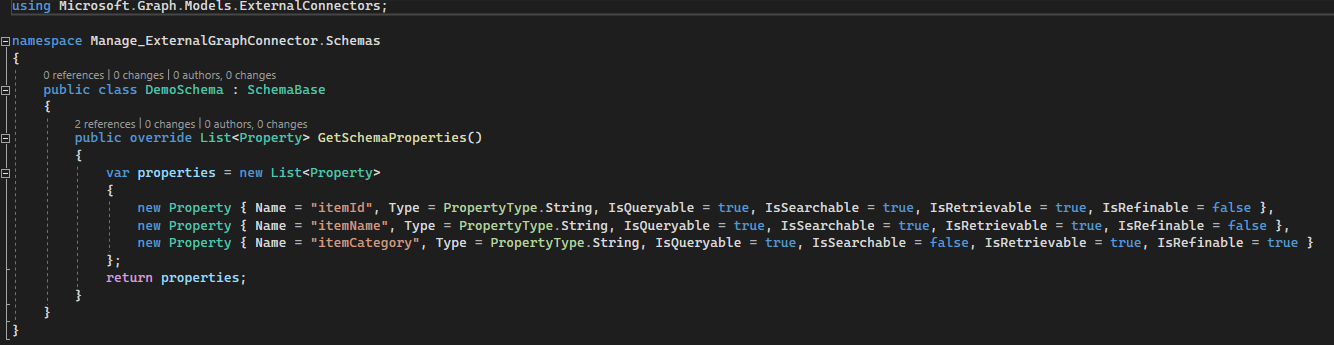
Screenshots
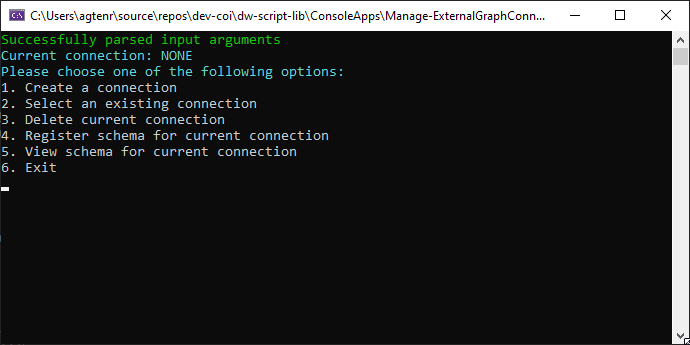
Overview
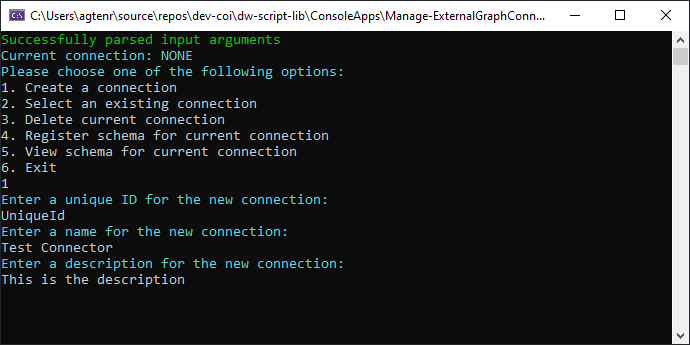
Creating a connector
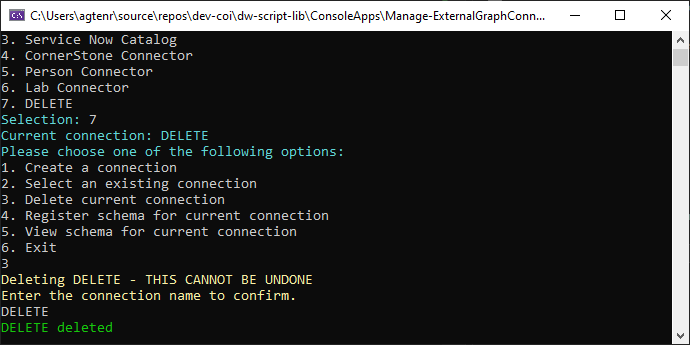
Deleting a connector
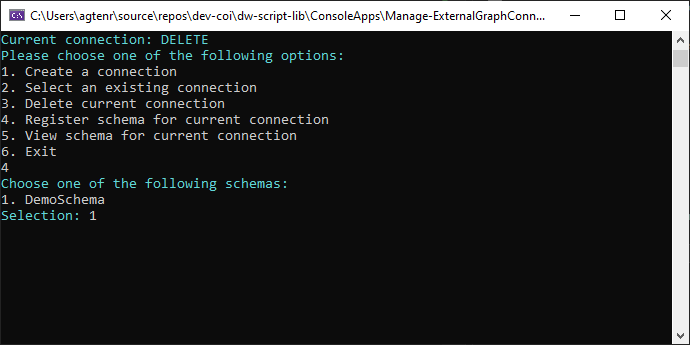
Registering a schema
Tags
- Microsoft Graph
- External Connector